
Invoices are currently in beta. Please note that functionality may change, and issues or inaccuracies may occur as we continue to develop this feature. Please review all invoice data carefully before use. We welcome your feedback as we continue to improve.
Adding payments to an invoice is similar to adding transactions to a Contract.
Step 1
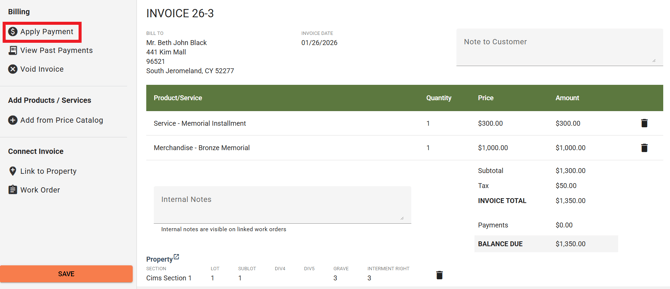
Select "Apply Payment" under Billing.
Step 2
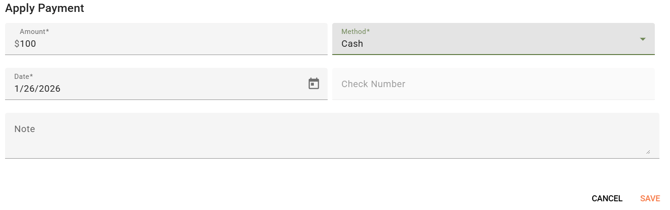
Enter the payment amount, Method, and Date (if you chose Check as the method, you will also need to enter a Check Number) and click Save.
Step 3
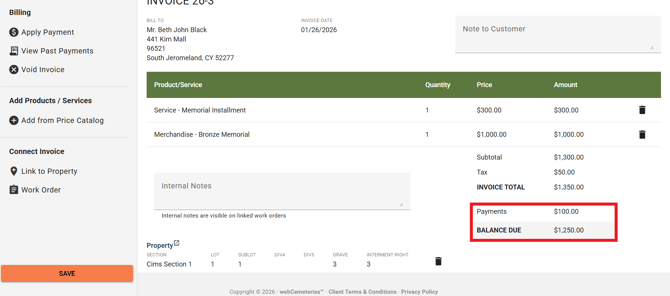
The "Payments" field will update with the total amount paid so far, and the Balance due will update with the remaining balance.
-
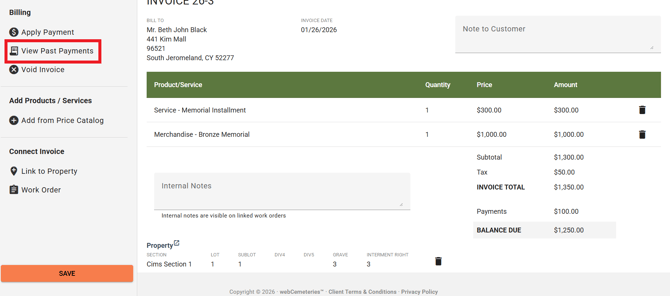
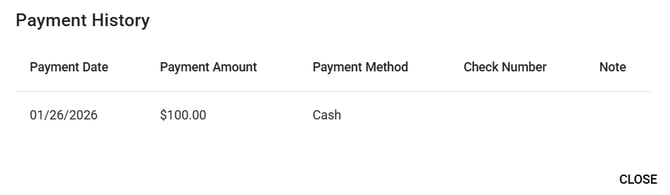
You can select "View Past Payments" to see the history of payments recorded for this invoice.
Check out these articles for: