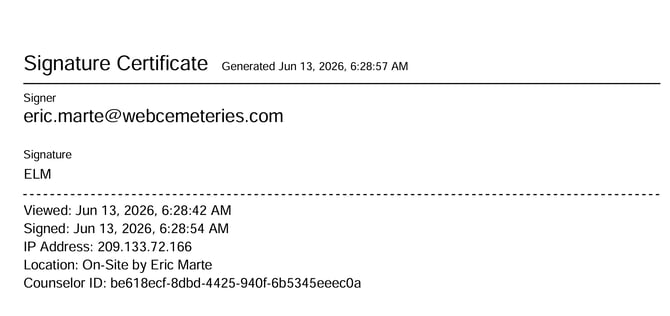
When a family or staff member signs a dynamic form electronically, the system automatically generates a signature page a final page added to the document that shows who signed it and when. Think of it like the last page of a contract that shows all the signatures.
Occasionally, due to a technical hiccup, this signature page may fail to generate properly. The document will still be signed, but that summary page at the end may be missing or incomplete.
Step 1
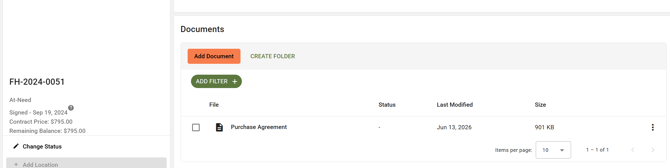
Go to the Documents section of the record where the form was saved. For example, a Contract or a Deceased record.
Step 2
On the right side of the document row, click the three dots. 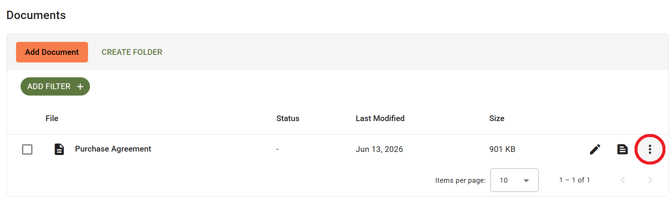
Step 3
From the menu that appears, select "Generate New Signature Page."

Step 4
Select the document to view the signature page.