Step 1
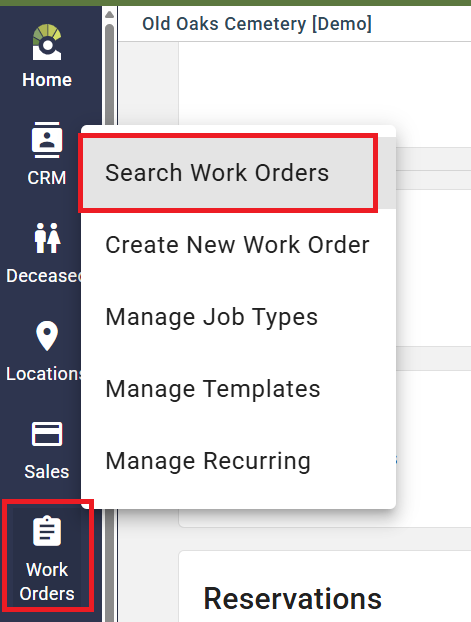
Hover over "Work Orders" on the left side menu and click "Search Work Orders".
Step 2
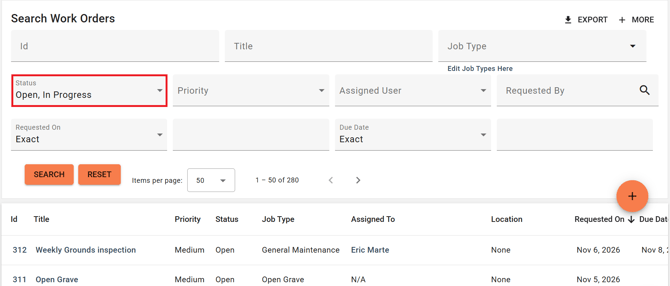
Work orders will always open to a default status search of Open and In Progress orders. Search Results appear at the bottom under “Search” and “Reset.”
Step 3
You can filter your search results by any of the drop-down menu fields: ID, Title, Job Type, Status, Priority, Assigned User, etc.
Work Order IDs are automatically assigned, and are in sequential order. Your first Work Order will have an ID of 1, and so on.
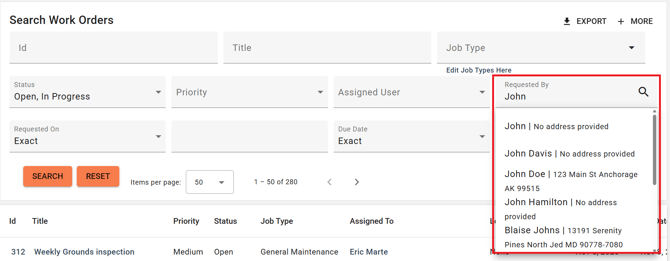
The “Requested By” field links to your CRM, so you can search for any customer linked to a Work Order.
Step 4
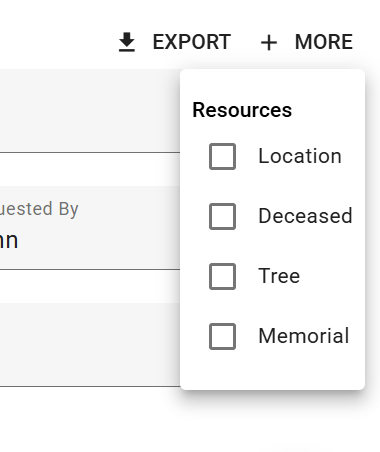
"+ More" allows you to search by the resource attached to the Work Order.