This guide will acquaint you with How to Remove a User or User Privileges from having access to your webCemeteries software. Only Cemetery Administrators will be able to access this area of the program. If you are not a cemetery administrator, reach out to your cemetery administrator or contact support@webcemeteries.com.
Removing a User or User PrivilegesStep 1
Log in to webCemeteries Management.
Step 2
If you are a cemetery administrator, you will be able to access these settings. If you are not a cemetery administrator, reach out to your cemetery administrator or contact support@webcemeteries.com.
Step 3
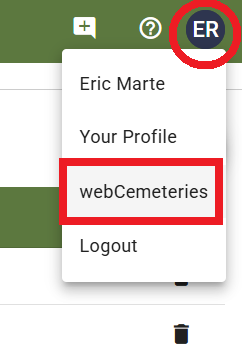
Select your profile icon on the top right corner, then select your cemetery's name.
Step 4
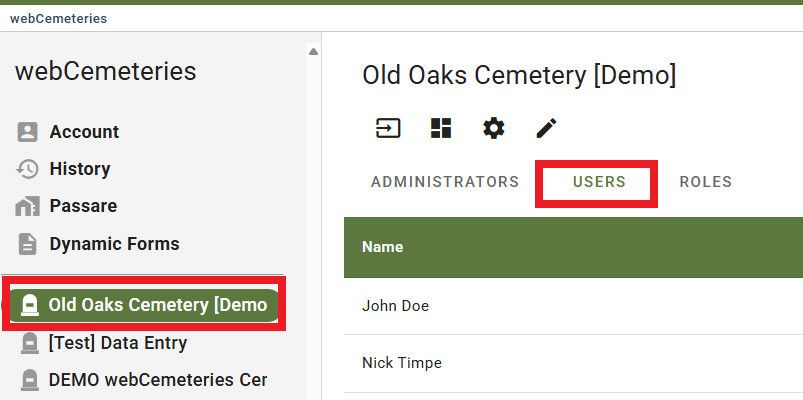
Select your Cemetery and then select the "Users" tab.
Step 5
Select the Trash bin icon to the right of a user's row 
Step 6
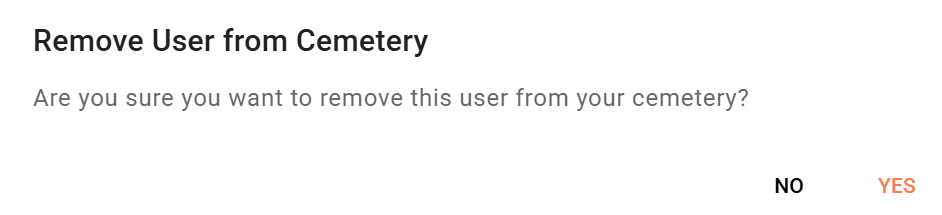
A window will appear to ask if you are sure you want to remove the user. Select Yes.
Step 7
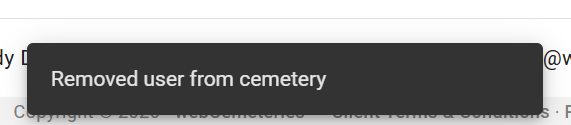
The user will be removed from your cemetery and will no longer have access.