Step 1
Log into webCemeteries Management.
Step 2
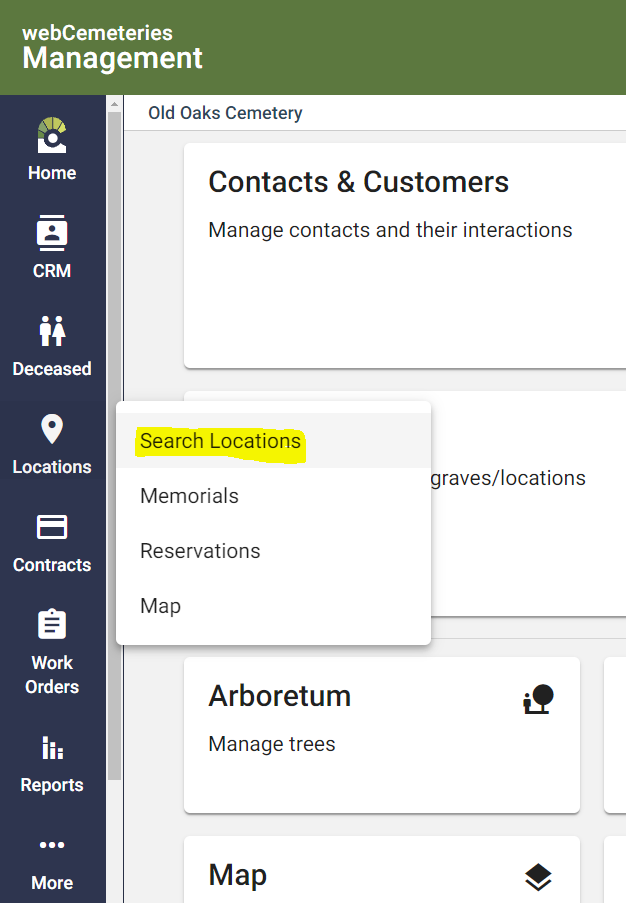
Hover over "Locations" on the left side menu and click "Search Locations".
Step 3
Step 4
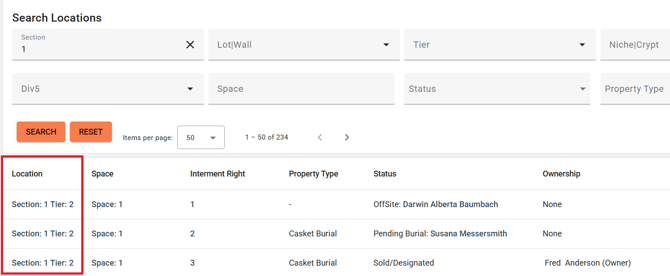
Your search results will appear below. Click on the link under the Location column.
Step 5
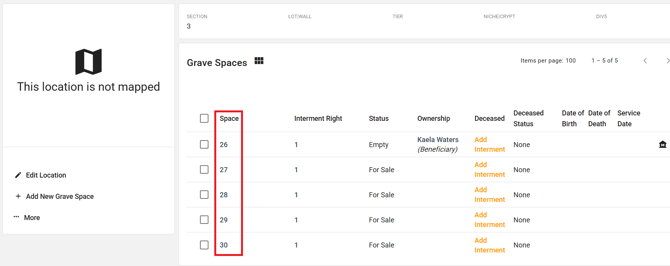
Click the grave name to see its details.
Step 6
Click "Edit Map" on the left side menu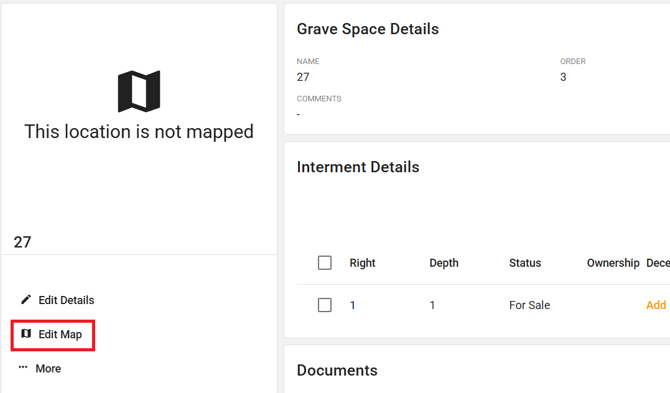
Step 7
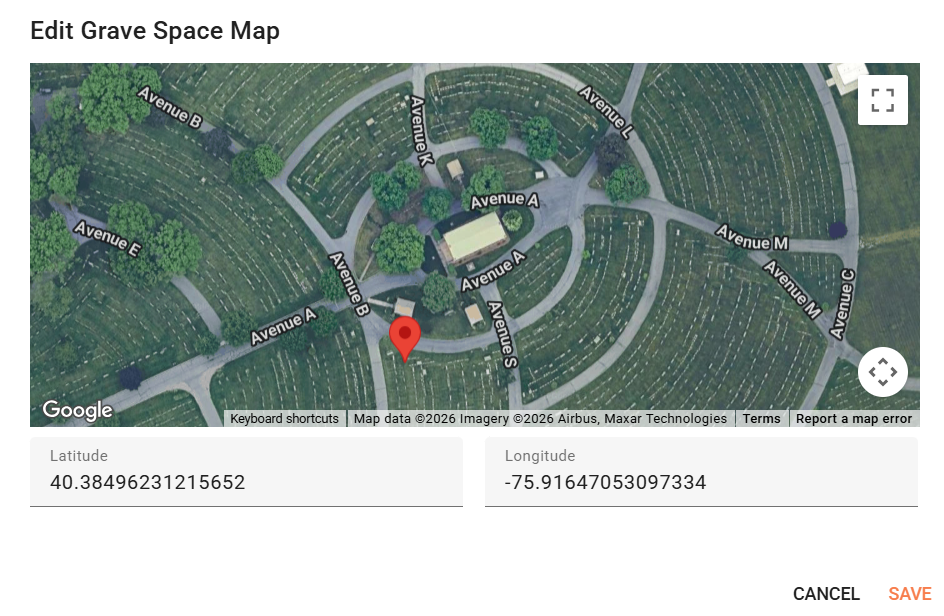
Enter your coordinates or click on the map to place a coordinate pin. Then Click "Save".